Traverse Standard v11.0
Serialized History Report
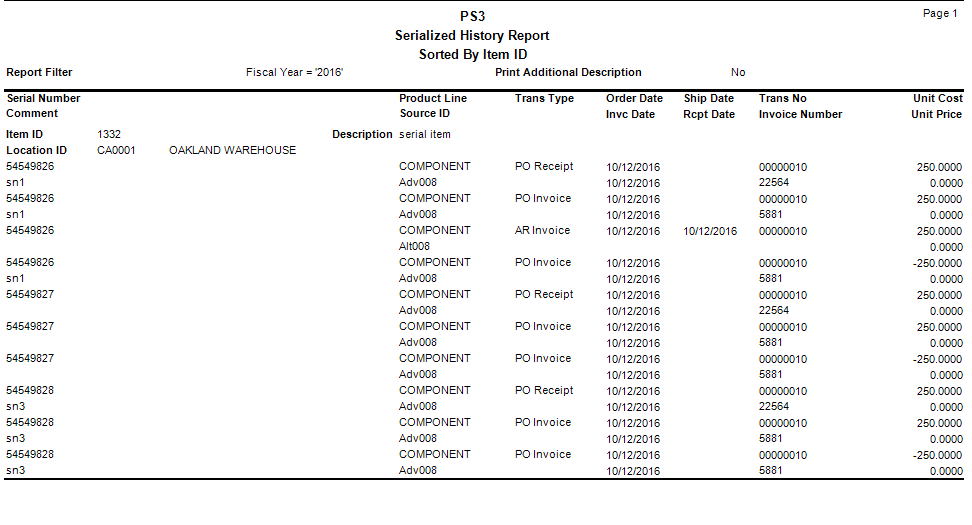
Use the Serialized History Report to view current or historical transaction information for serialized items. You must elect to keep serial history in the Business Rules function to produce this report.
- Use the Data Filter to select the range of filtering options or leave the filter blank to include all available data.
- Select how to sort the report from the Sort By section.
- Select the Print Additional Description check box if you want to include additional descriptions in the report.
- Click a command button to
| Click | To |
| Process the Serialized History Report. | |
| Output | Output the report as a PDF. |
| Send | Save the report as a PDF and attach it to an email using your default mail program. |
| Preview | View a preview of the Serialized History Report. |
| Reset | Set all fields to their default values. |
 Sample Serialized History Report