Traverse Standard v11.0
AR/SO Month End Checklist
Sales Order
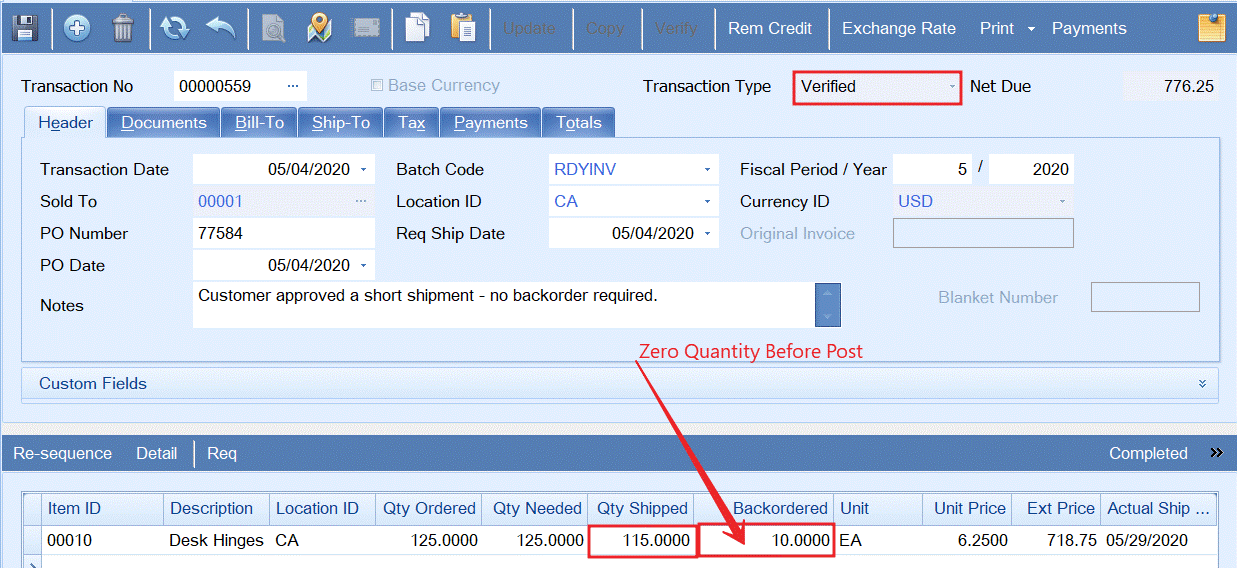
- Remove backorder quantities from shipped orders before posting
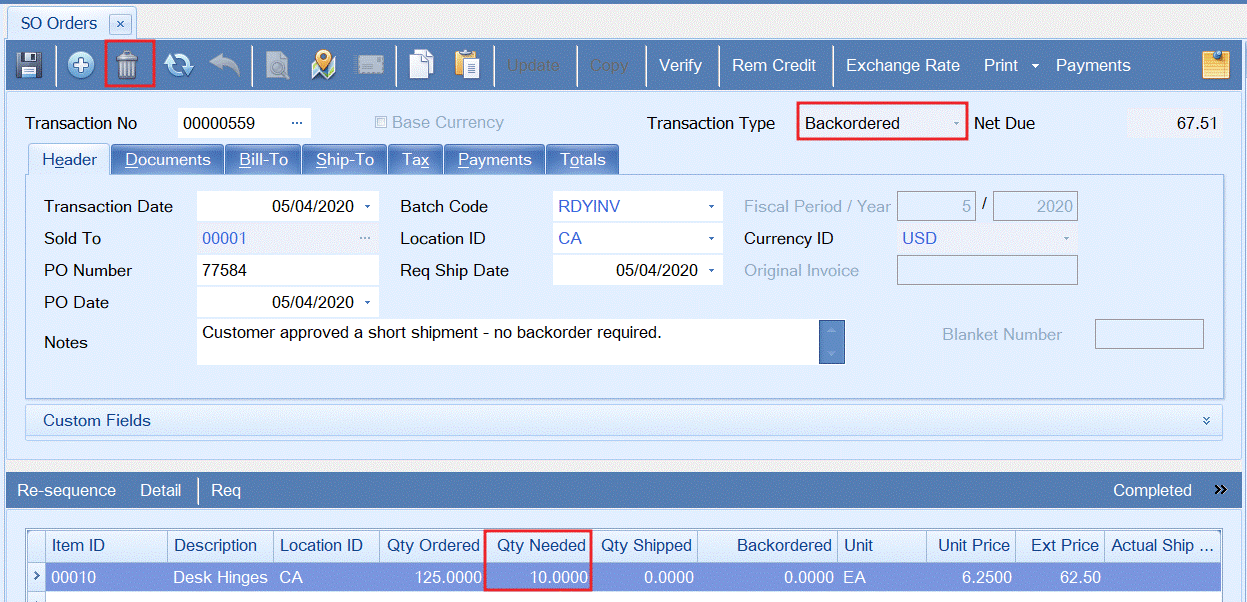
If a backorder was recreated following post, the backorder transaction can be deleted.
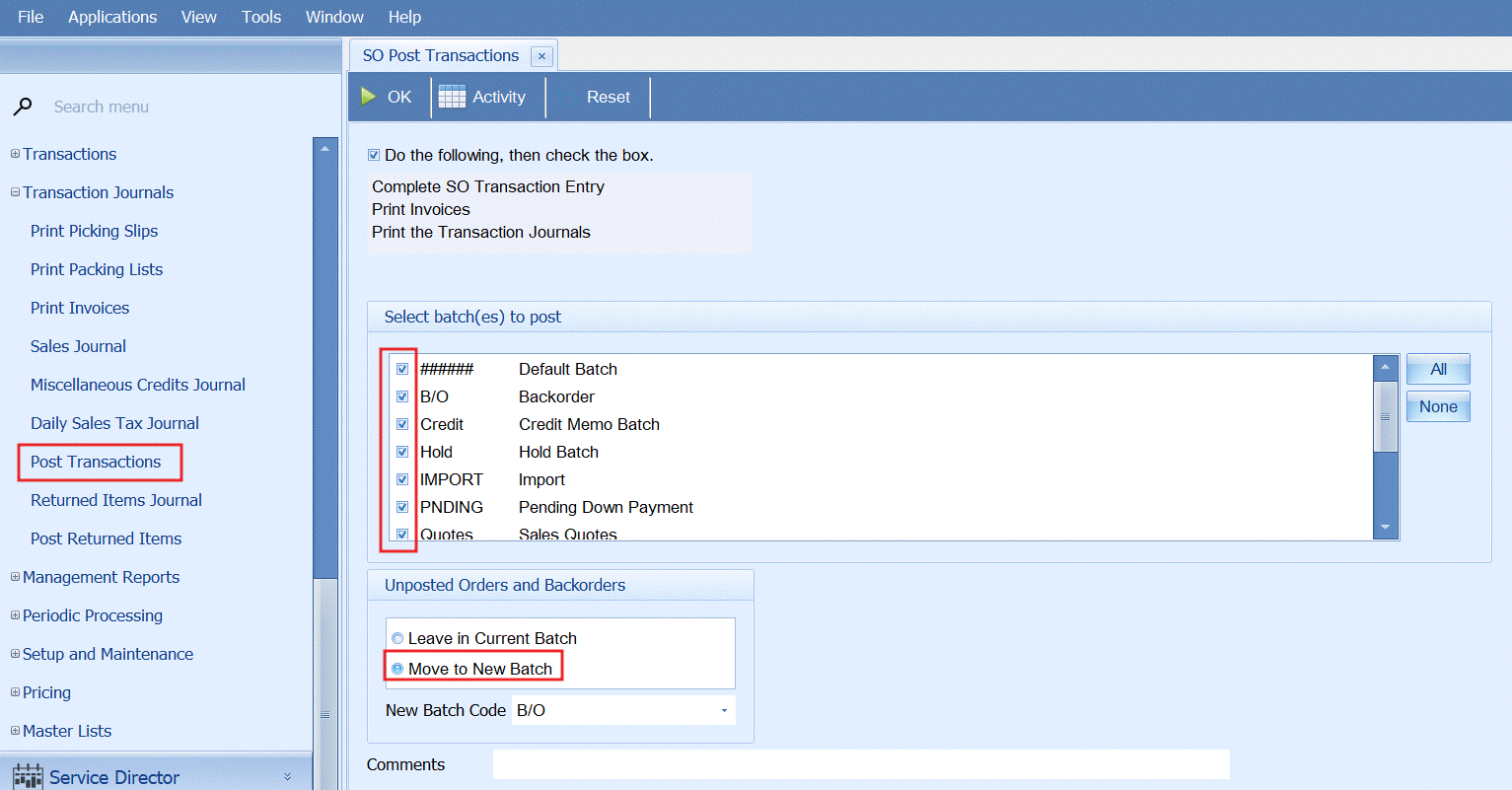
- Post all transactions and move all backorders to an isolated batch (optional)
- Verify all invoiced orders have been posted
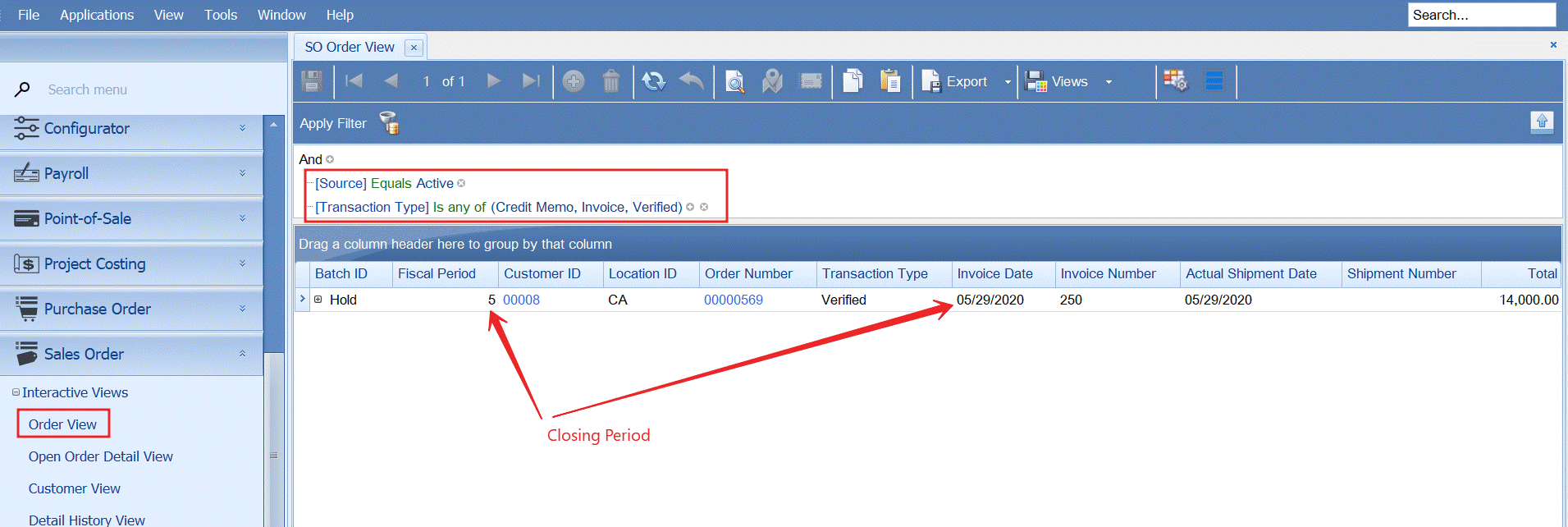
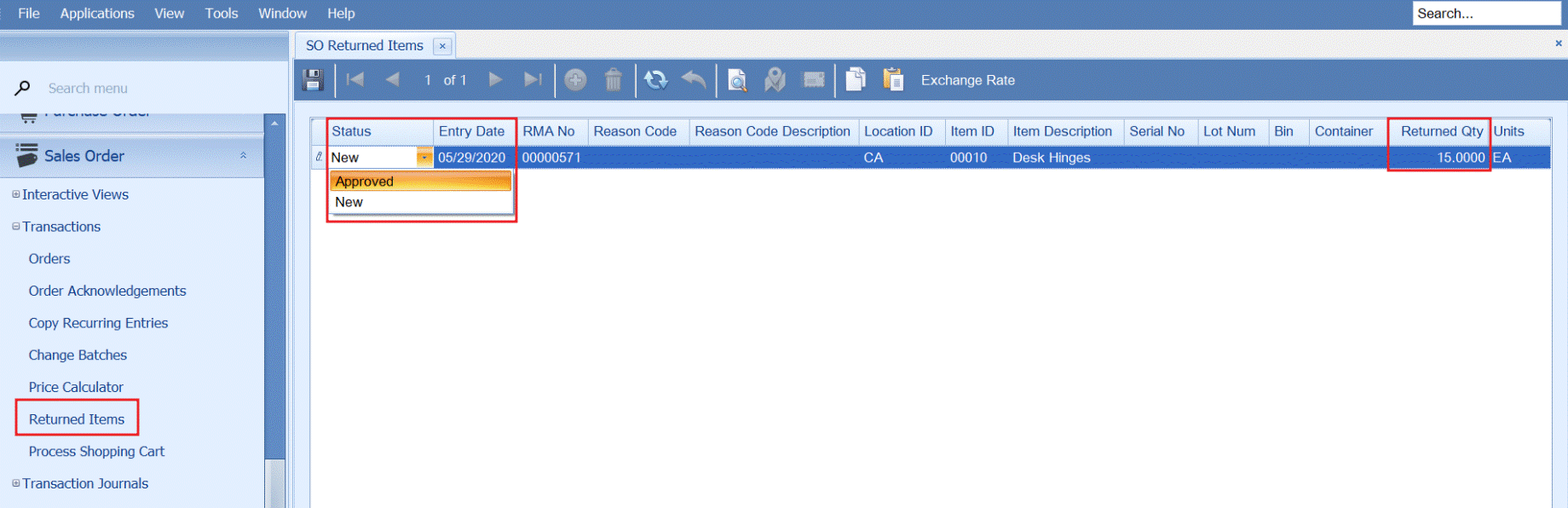
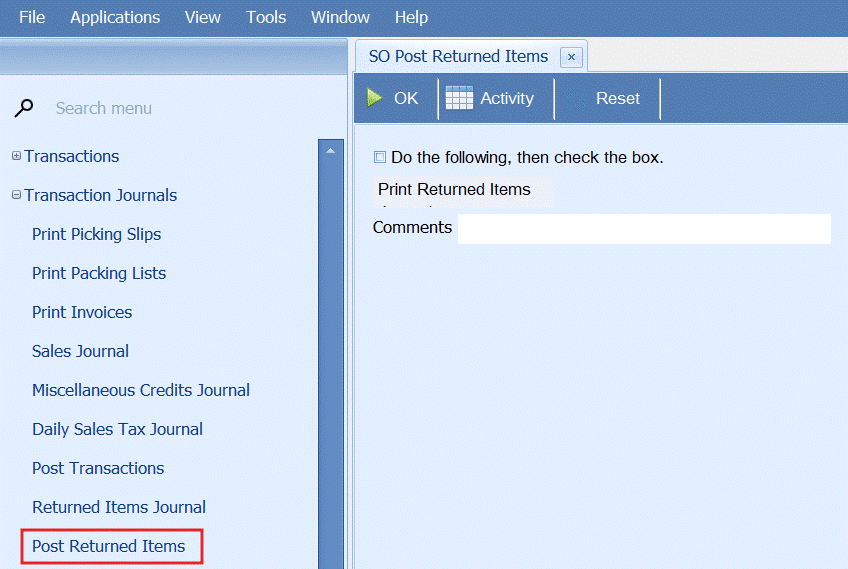
- Approve returned order quantities to stock and post returned quantities
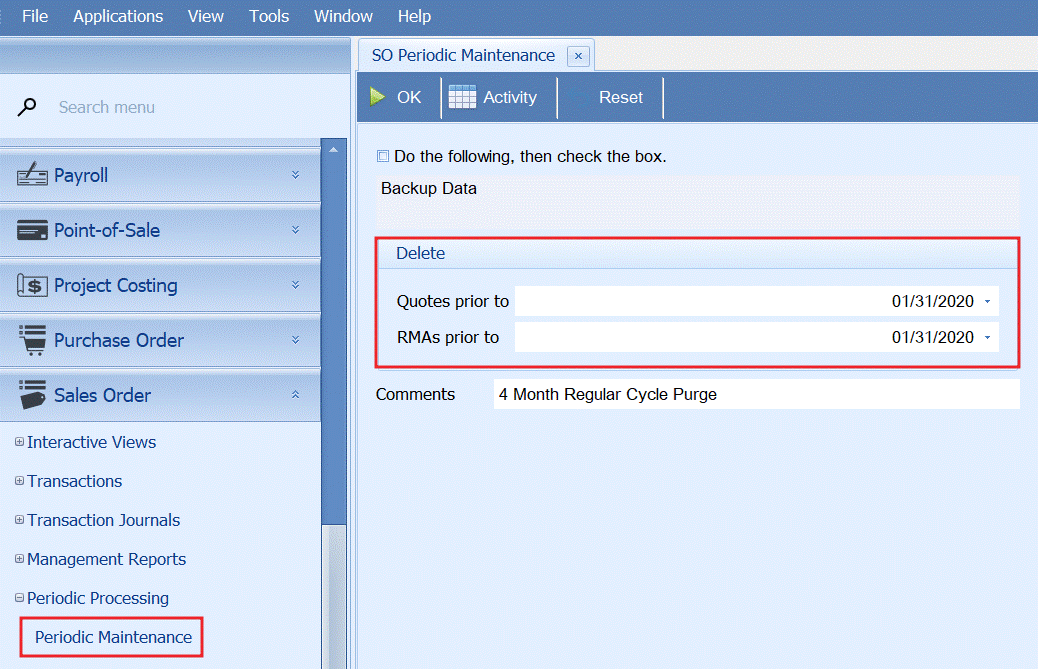
- Run SO periodic processing to delete old quotes and RMA (optional)
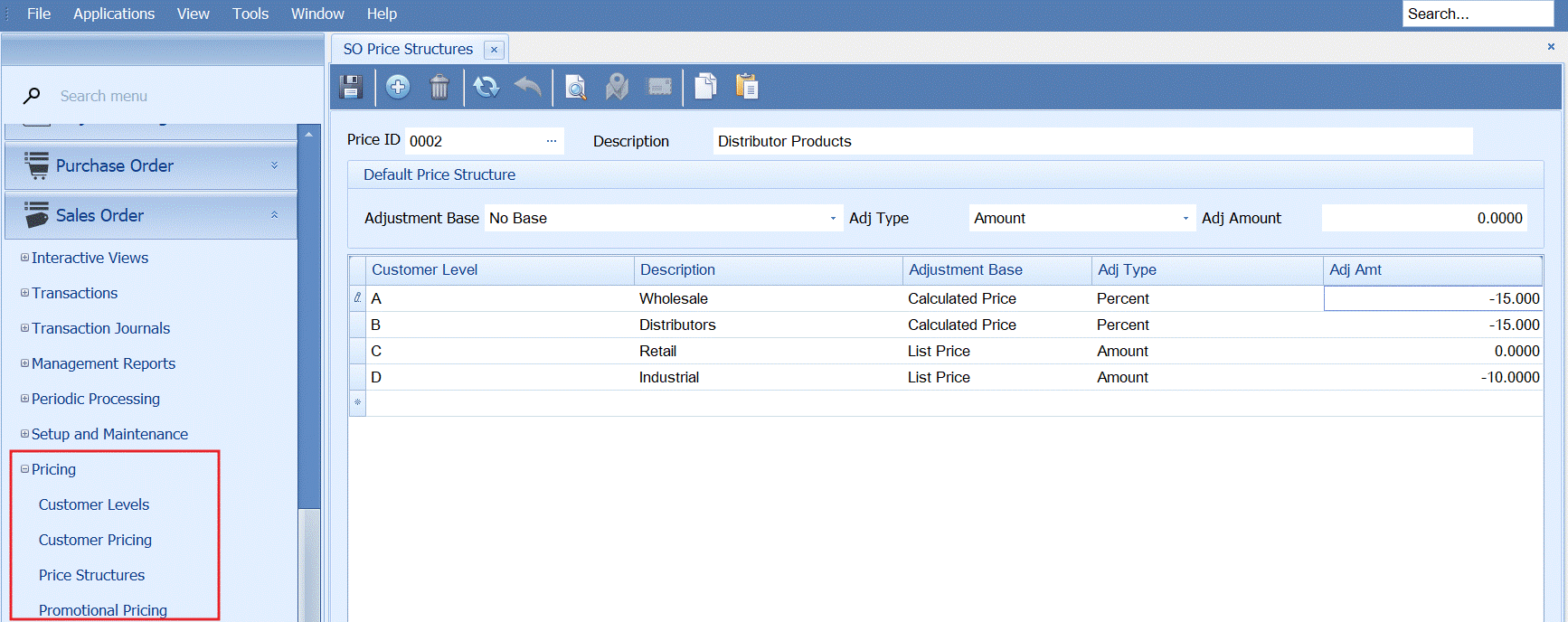
- Update system pricing: contract pricing, customer pricing, price structures, and promotional pricing
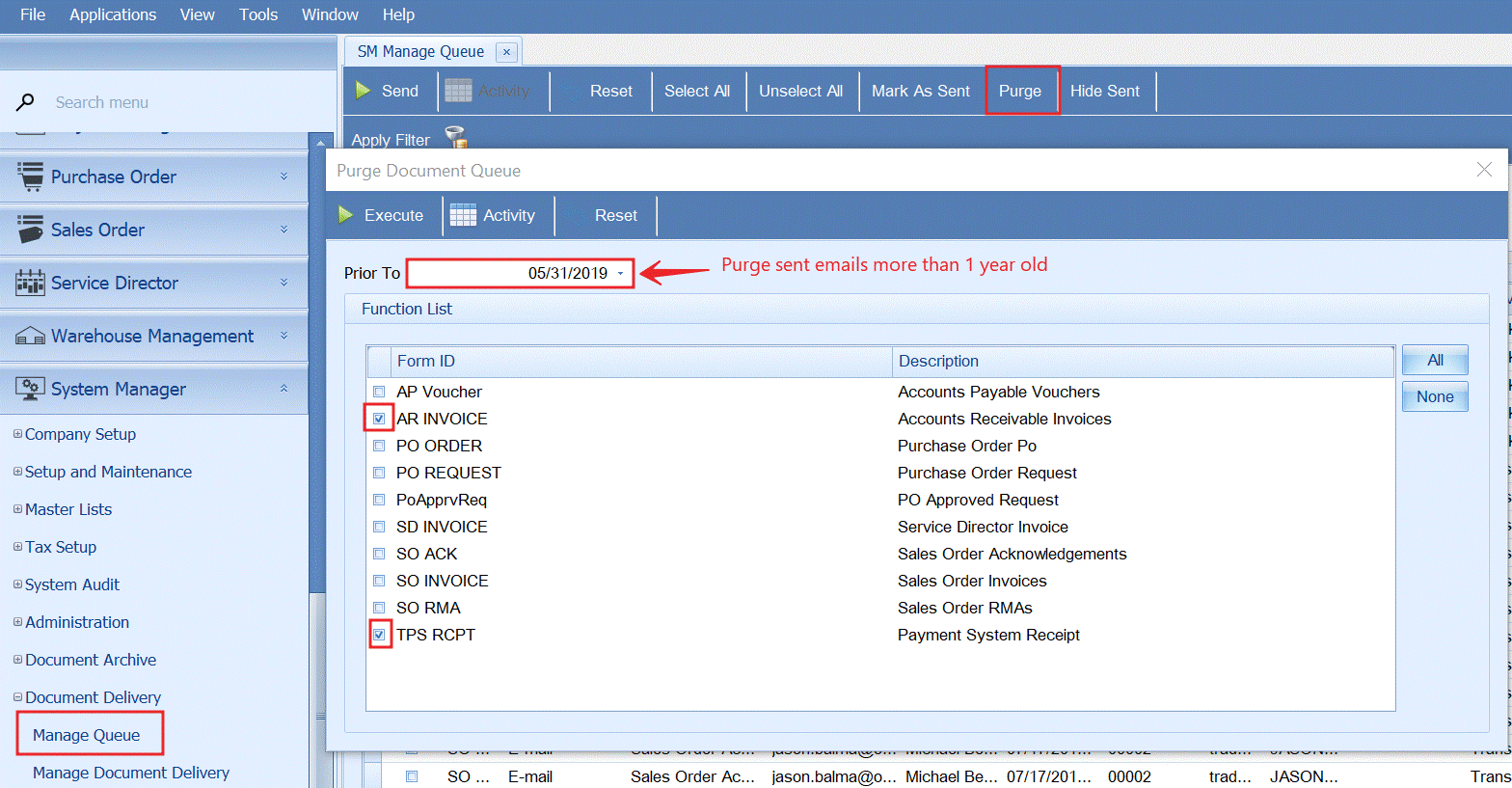
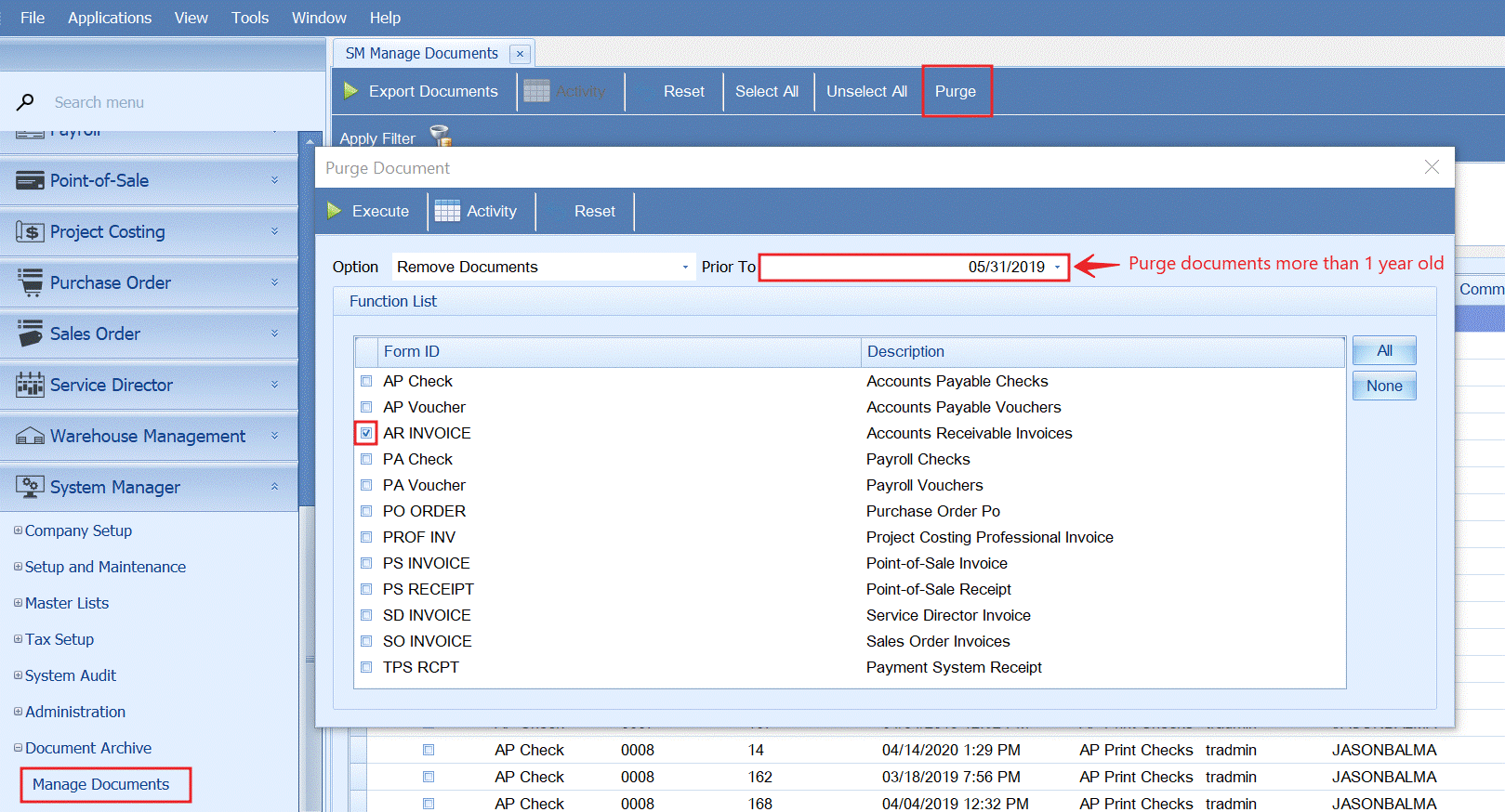
- Clear sent emails and archived documents from SO using regular monthly schedule


Note: Prior to purge documents can be exported to a zip file
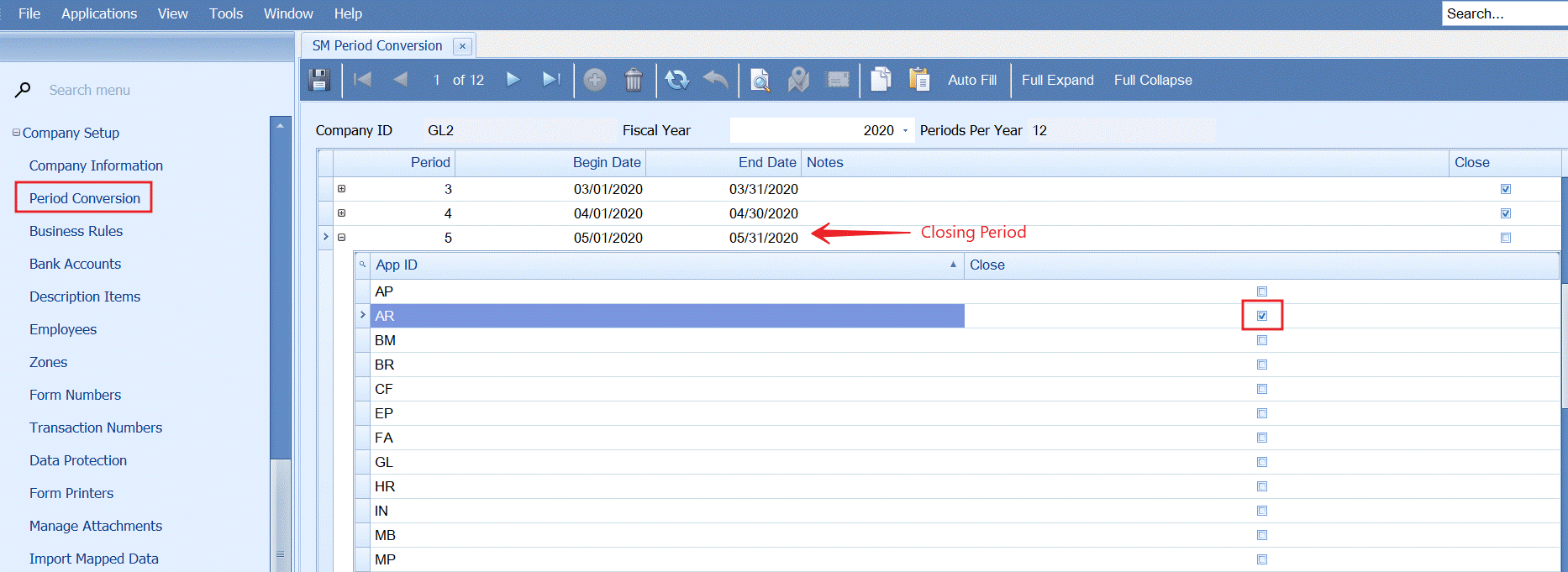
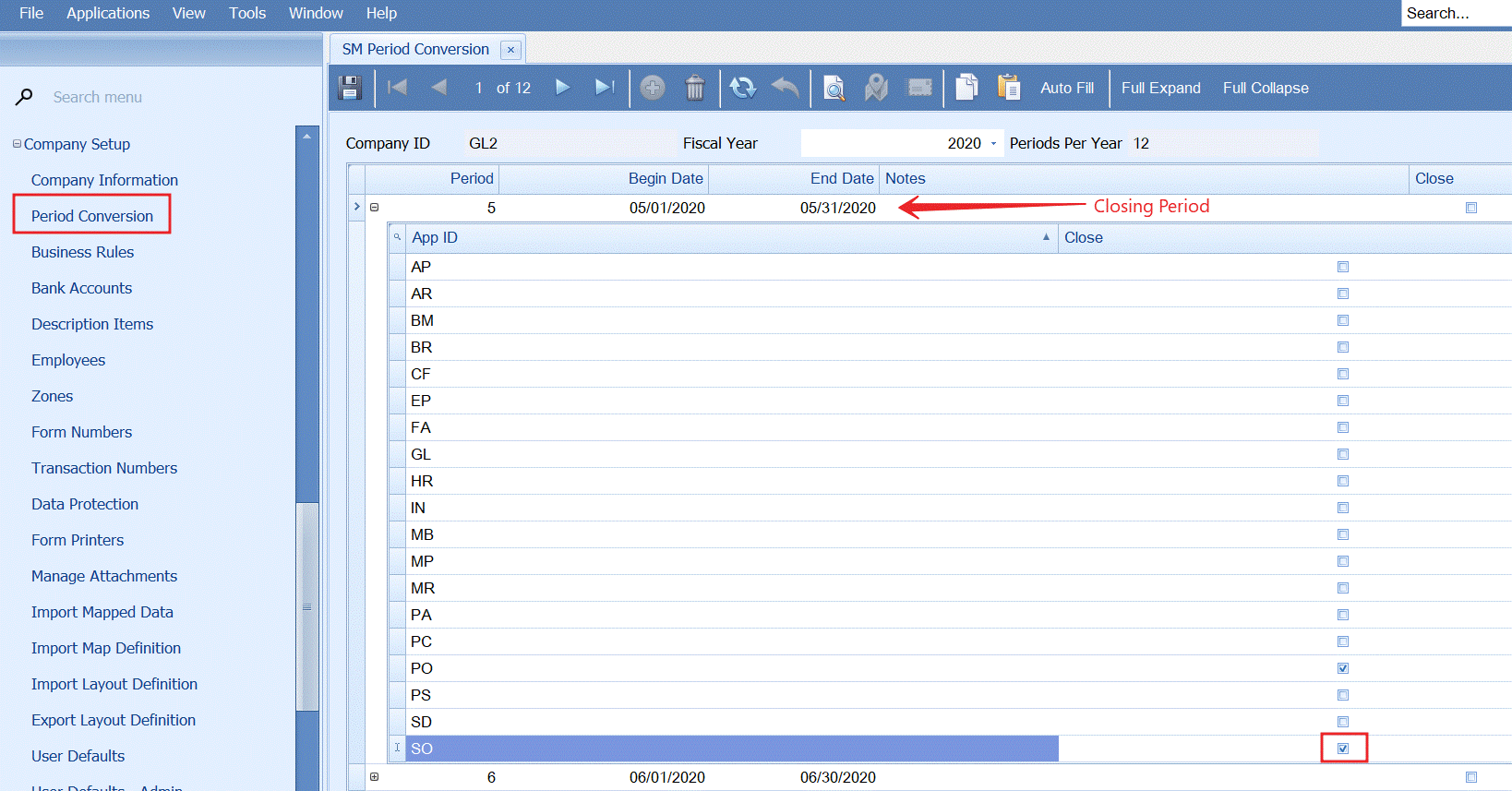
- Close SO in SM – Period Conversions
Accounts Receivable
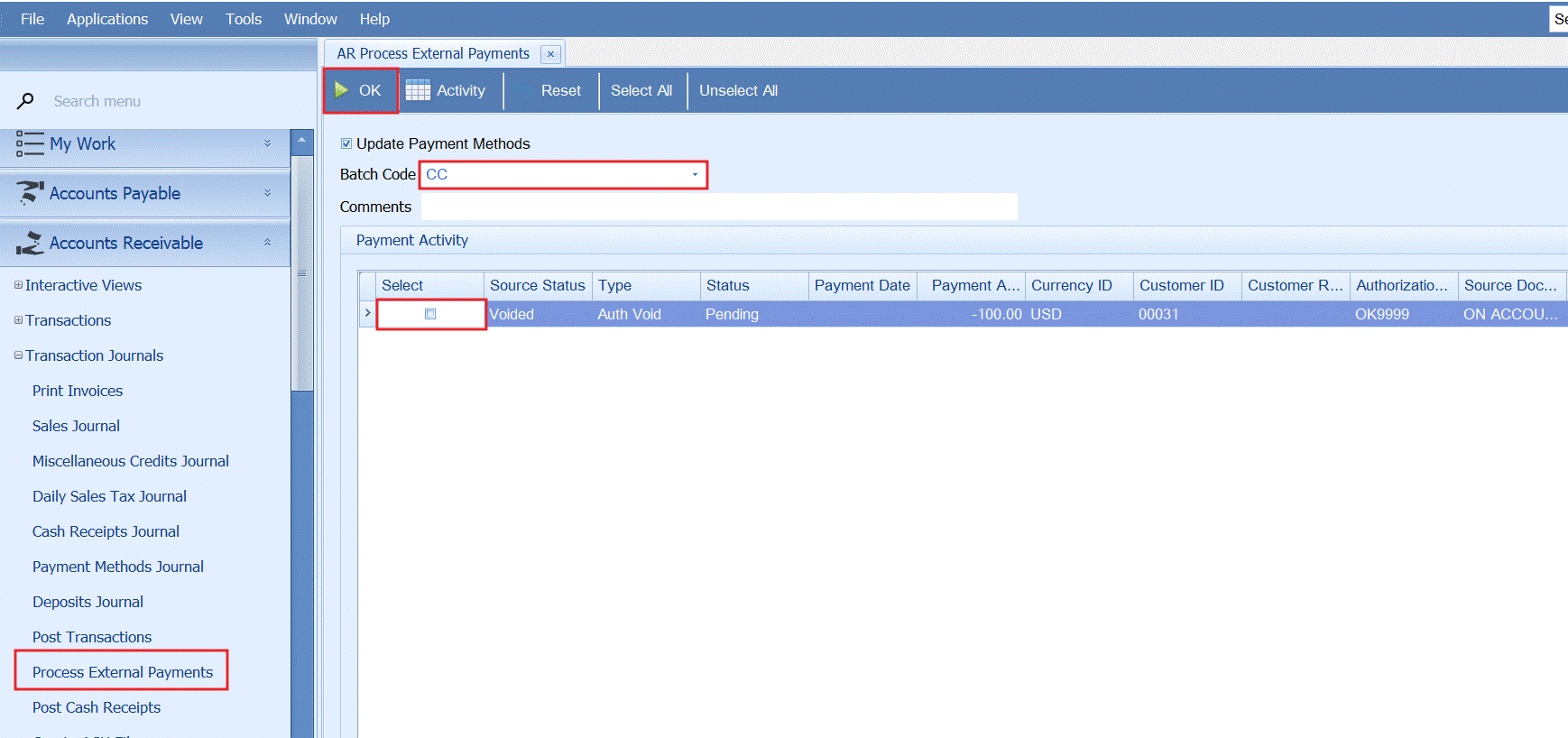
- Process all external payments to a batch for posting
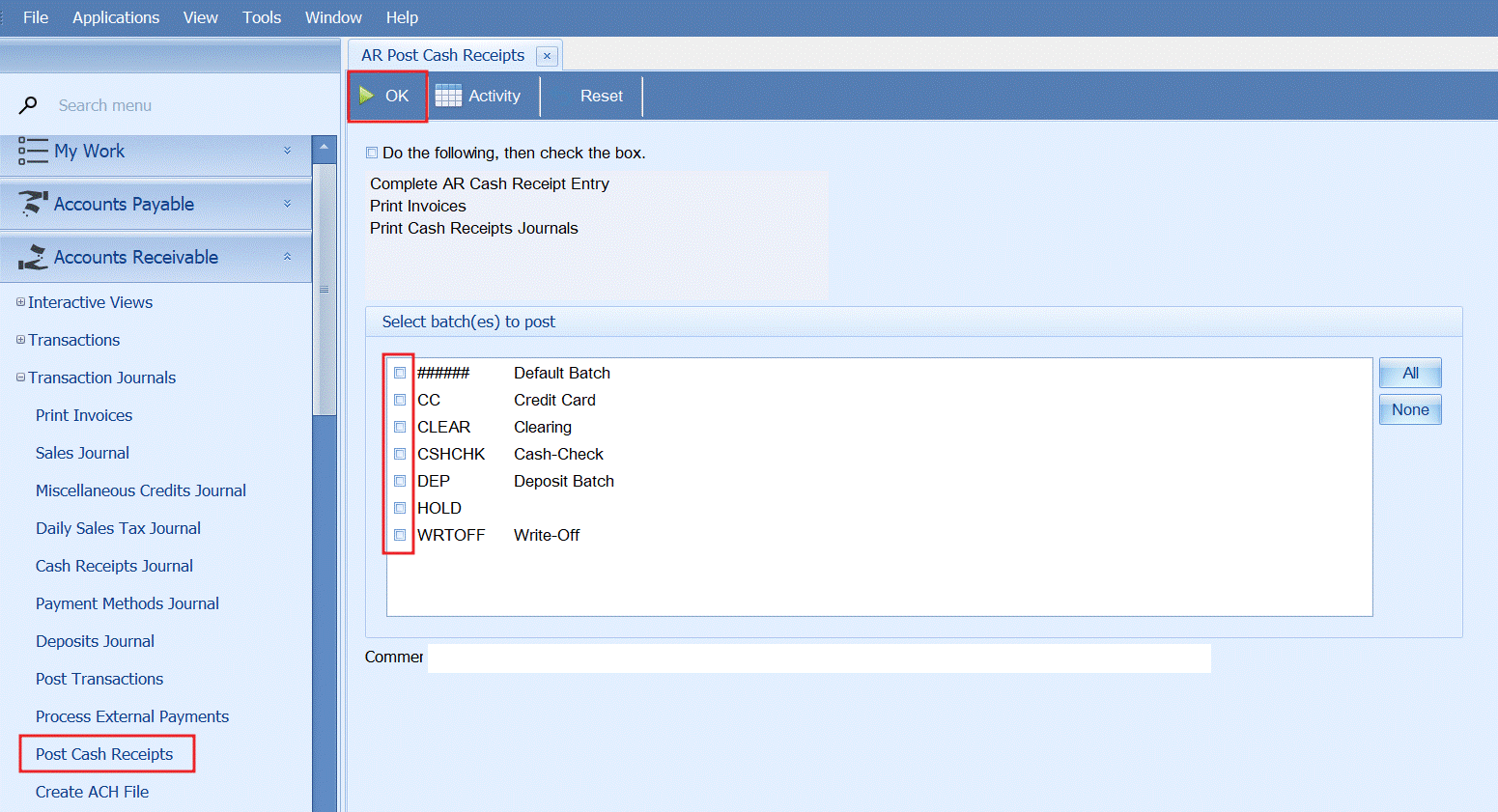
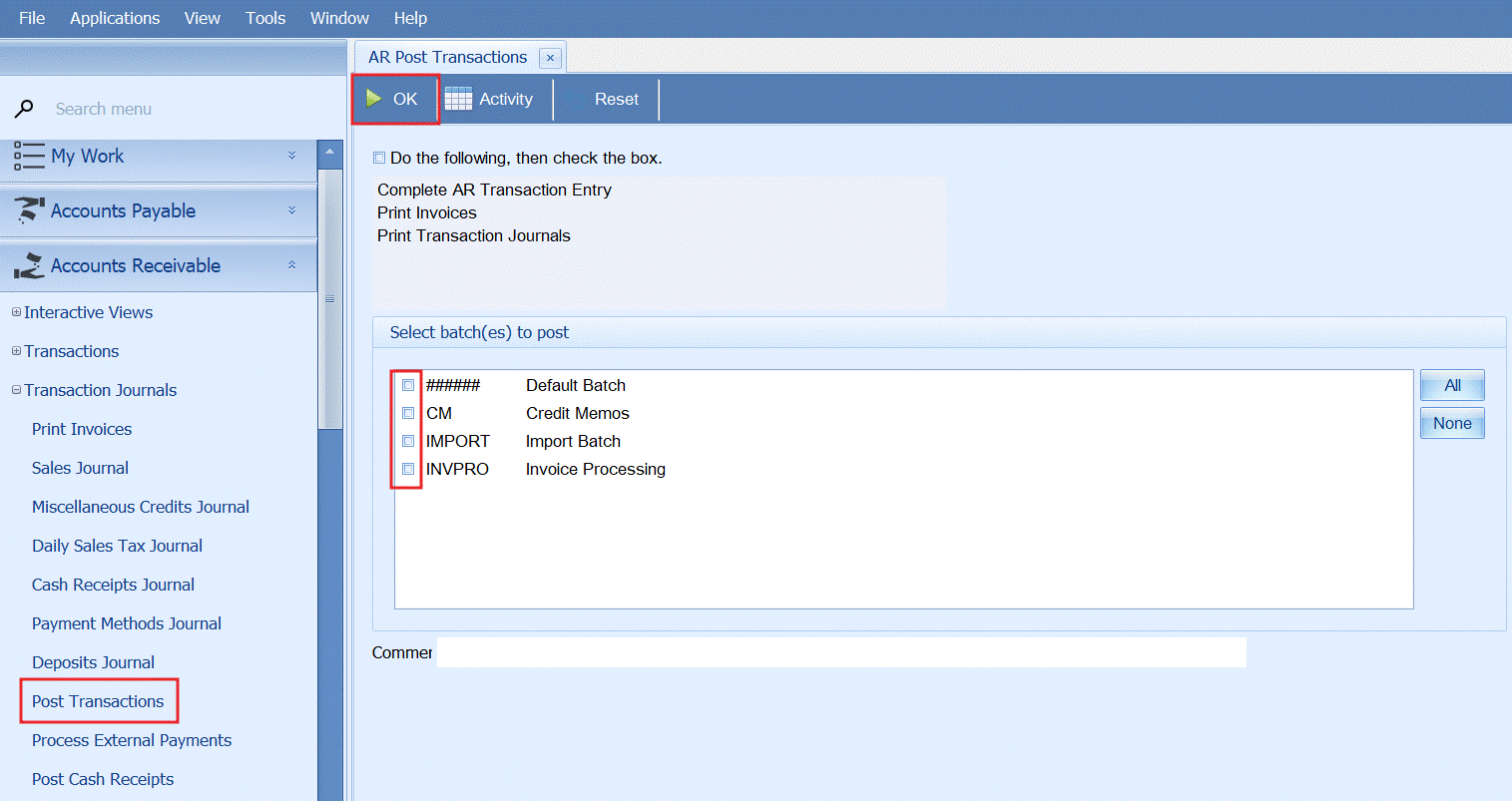
- Verify all AR transaction (invoices and cash receipts) are entered and post transactions
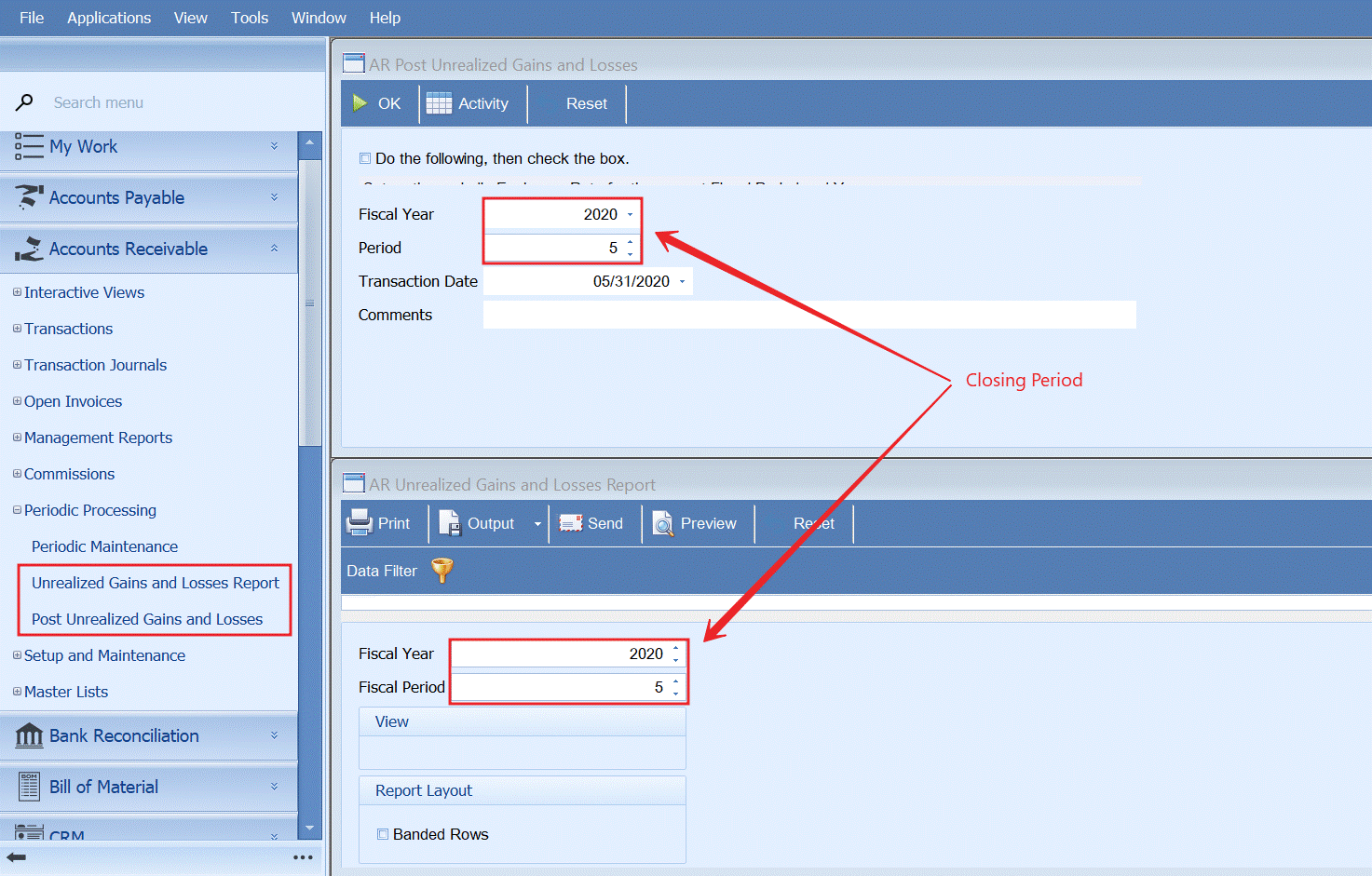
- Review foreign exchange gain and loses and post unrealized gains and losses to the GL
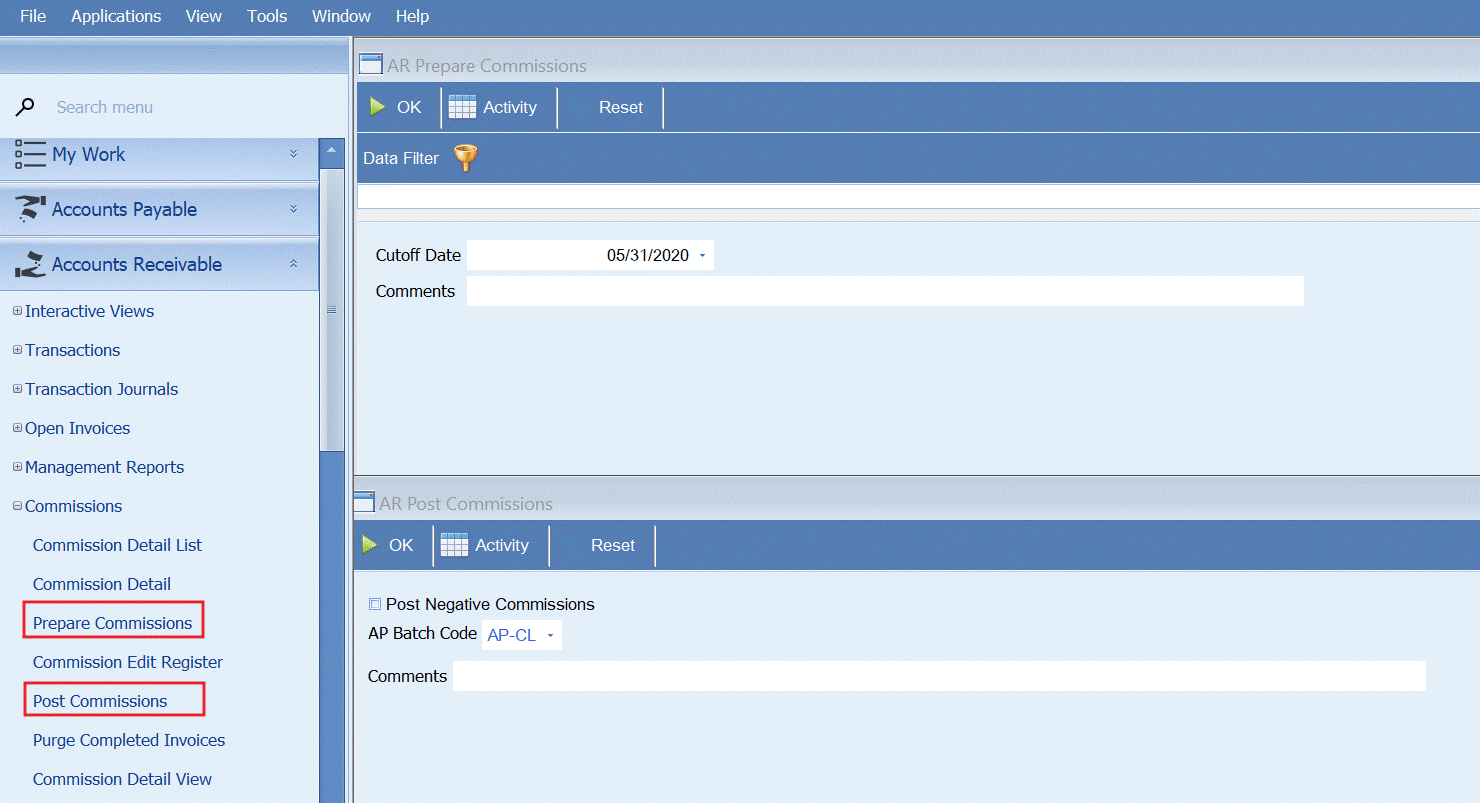
- Prepare & post AR commissions (optional if using commission processing)
- Calculate finance charges (optional)
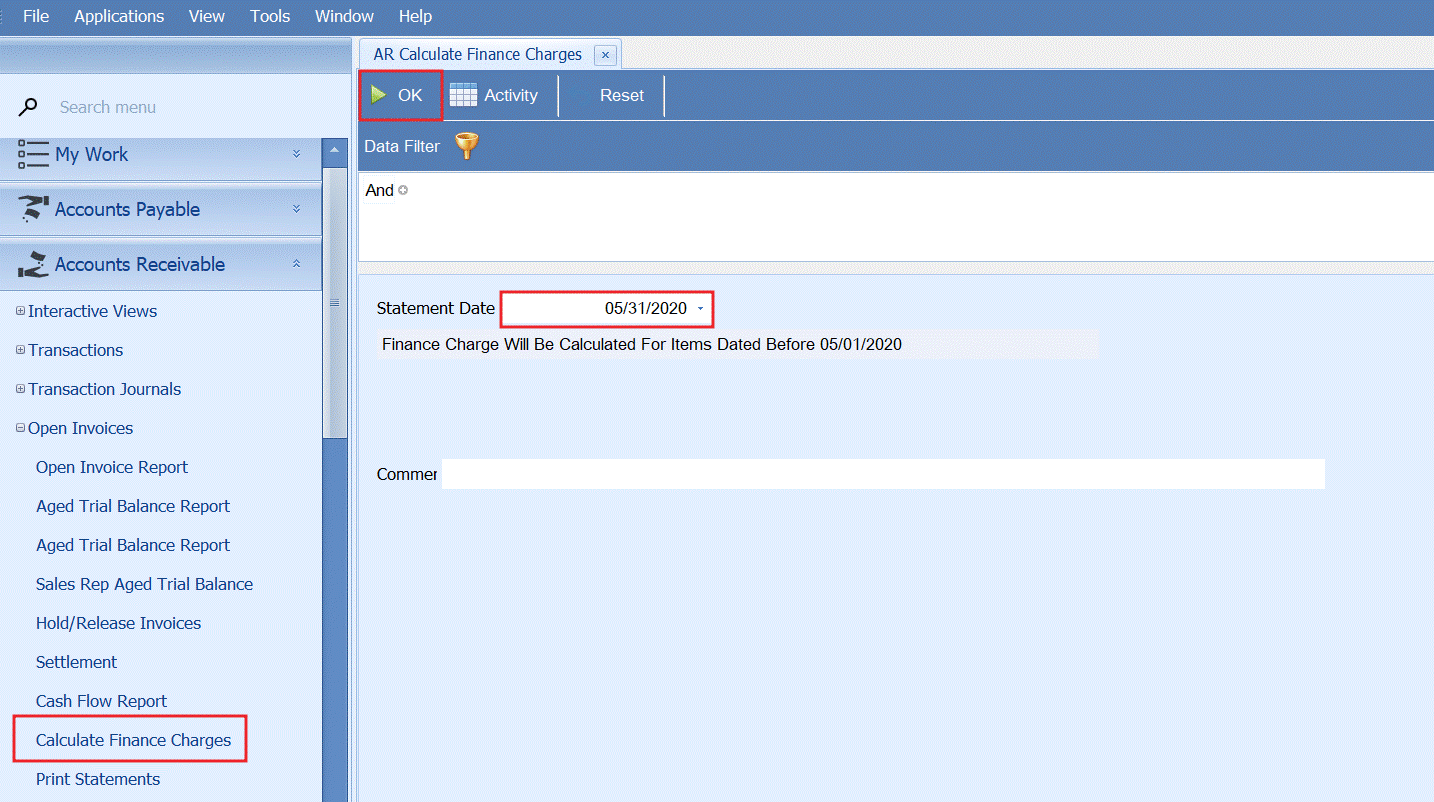
Note: finance charges are not applied to account until periodic processing is completed
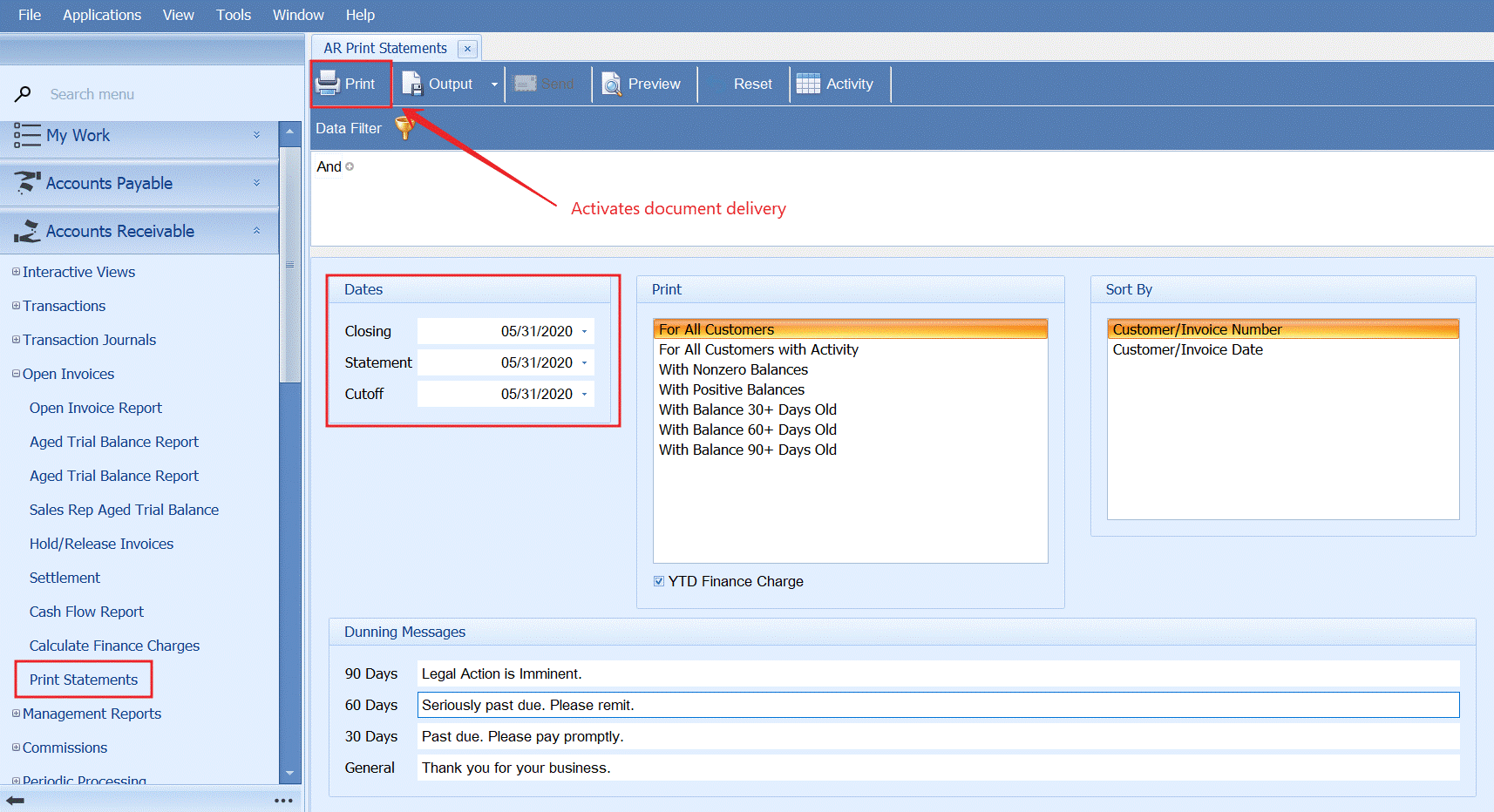
- Print/ email customer statements
- Run AR periodic processing
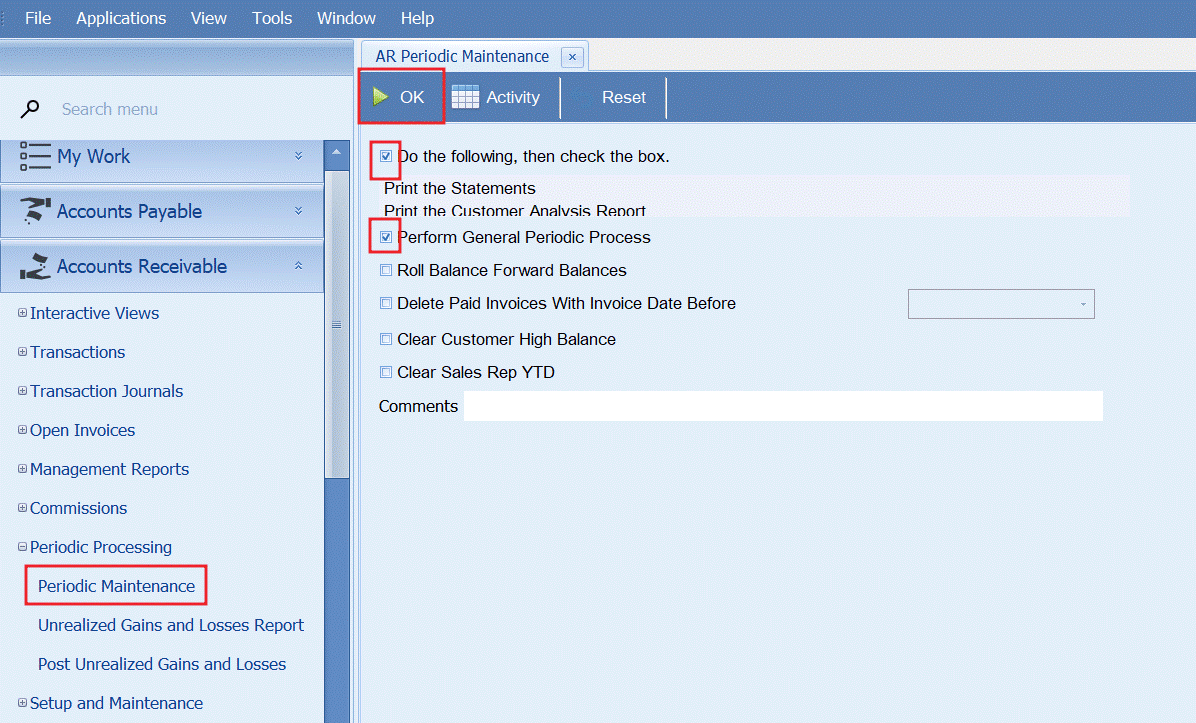
- Note: this function will clear customer statements and put finance charges on the customer’s account
- Note: we don’t advise deleting paid invoices as this will impact your ability to accurately run a historical Aged Trial Balance report.
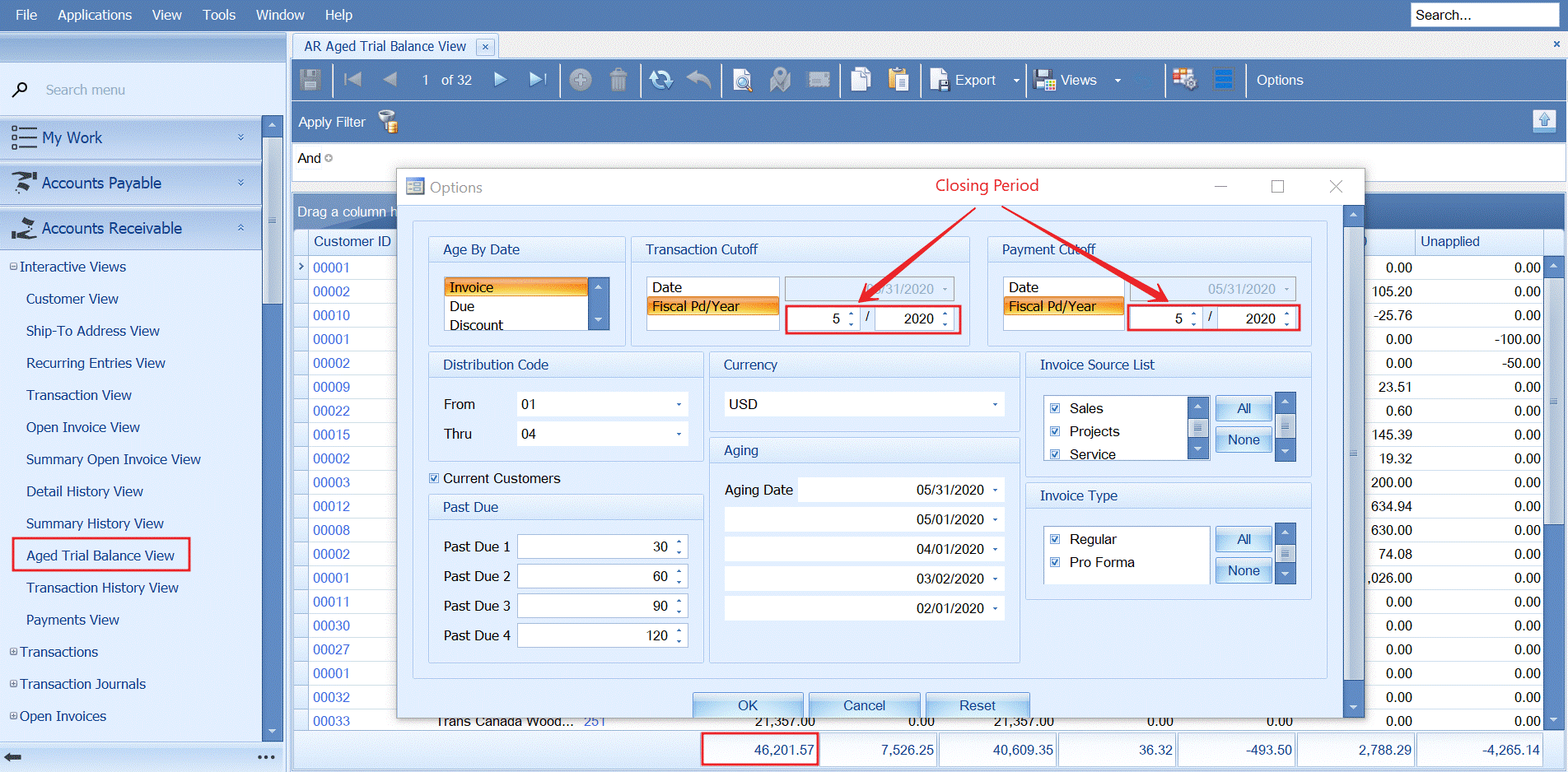
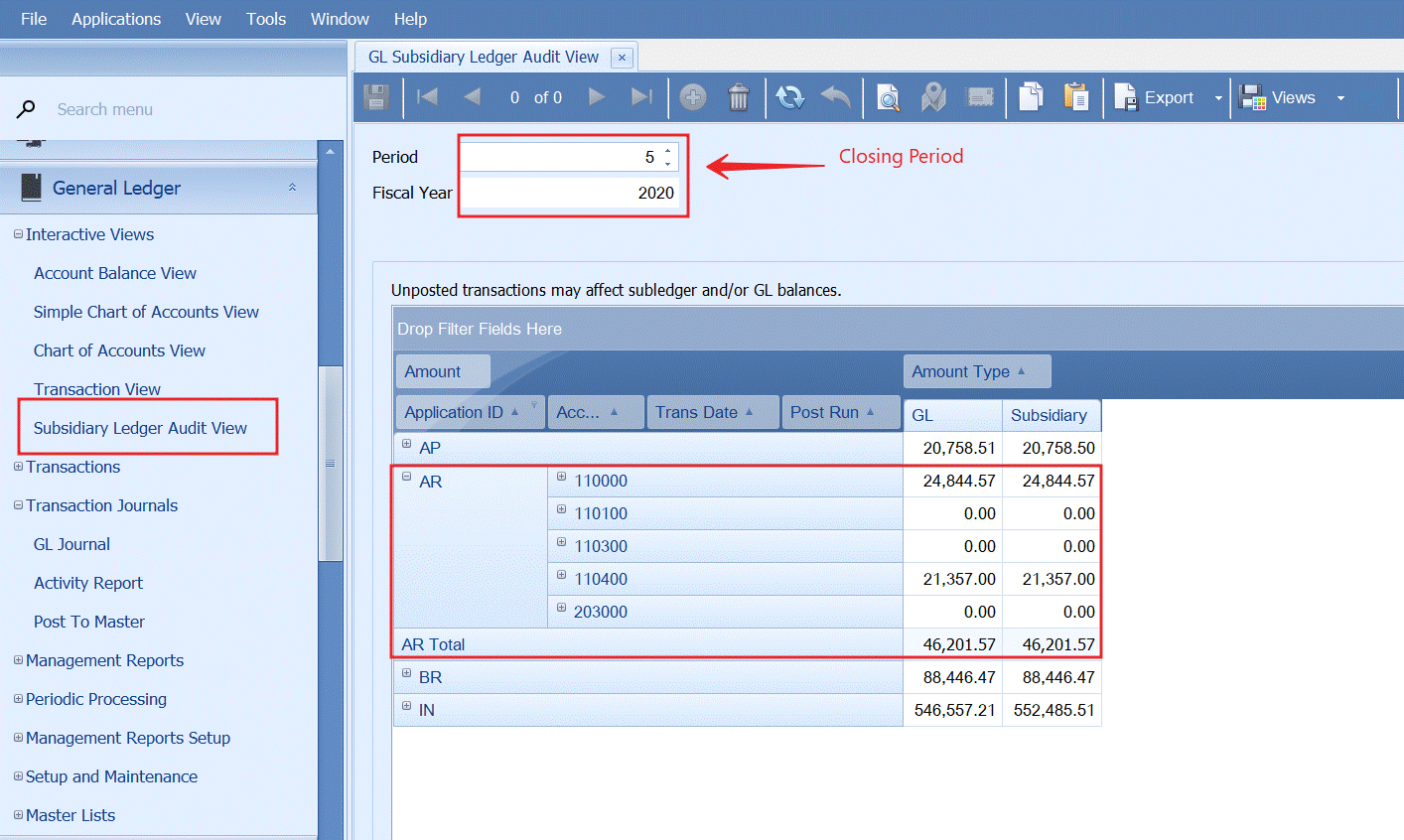
- Reconcile AR account(s) to the General Ledger

- Clear sent emails and archived documents from PO using regular monthly schedule
- Close AR in SM – Period Conversions